Simplify program removal and clean leftover files for a more stable, organized system
Simplify program removal and clean leftover files for a more stable, organized system
Vote (6 votes)
Program license Trial version
Developer Mmhsoft
Version 6.0
Works under Windows
Vote
(6 votes)
Developer
Mmhsoft
Works under
Windows
Program license
Trial version
Version
6.0
Pros
- User-friendly interface with useful application details
- Option to remove leftover files and registry entries
- Search and sort functions for quick navigation
- Lightweight and quick to install
Cons
- No support for batch uninstallations
- May miss certain programs in the installed list
- Does not always remove all leftover files
A straightforward utility for managing and removing installed programs
Comprehensive Software Uninstallation Tool
Add-Remove Master provides Windows users with an alternative approach to managing installed applications. Instead of relying solely on the built-in Windows uninstaller, this tool offers an organized interface where all detected software can be reviewed and removed with a few clicks.
User Interface and Navigation
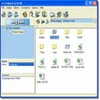
The design of Add-Remove Master focuses on clarity and ease of use. The main window presents a list of installed programs along with useful details such as version numbers and installation dates. Navigating the interface is simple, allowing users with varying technical experience to locate and select applications quickly. The search function makes finding specific programs efficient, especially on systems with numerous installations.
Uninstallation Features
A highlight of Add-Remove Master is its ability to go beyond the standard removal methods. When an uninstallation is initiated, the program can prompt users to choose if they want to remove leftover folders and registry entries associated with the application. This addresses one of the common issues with the default Windows uninstaller, which often leaves behind residual files.
However, there are some limitations. The tool operates on a single-program basis, so batch uninstalls are not supported. Each application must be removed individually, which may slow down the process if multiple programs need to be deleted in one session.
Detection of Installed Programs
Add-Remove Master typically finds and displays most applications installed on a system, but there can be inconsistencies. Certain software—especially portable apps or less conventional installations—might not appear in the list. This occasionally requires users to resort to alternative solutions for thorough cleanup.
Effectiveness and Thoroughness
While Add-Remove Master generally performs better than the standard Windows utility, its promise to remove all related files and registry entries is not always fully realized. Some leftover folders may persist after uninstallation, necessitating manual checks for complete removal. Despite this, the tool offers a more comprehensive approach than the default uninstaller for most traditional desktop software.
Additional Tools and Customization
Besides application removal, Add-Remove Master features backup and restore options for the uninstall list, helping in cases of accidental deletions. The software’s settings allow for some customization, such as sorting options, which add to the overall flexibility.
Performance and System Impact
The application operates with minimal impact on system resources and does not require high specifications, making it compatible with most Windows-based computers. Installation and updates are straightforward, and the program’s lightweight nature ensures it does not slow down day-to-day system performance.
Pros
- User-friendly interface with useful application details
- Option to remove leftover files and registry entries
- Search and sort functions for quick navigation
- Lightweight and quick to install
Cons
- No support for batch uninstallations
- May miss certain programs in the installed list
- Does not always remove all leftover files